
Download SpeechPulse Speech-to-Text – speech-to-text, transcription, real-time dictation, offline speech recognition, subtitle generator, multilingual transcription, AI-powered voice recognition, voice to text tool, dictation app, audio transcription app
Overview
SpeechPulse Speech-to-Text is a productivity-focused mobile application designed to deliver real-time speech recognition for users seeking efficient, accurate transcription and dictation capabilities. The app enables users to convert spoken language into text instantly, making it ideal for professionals, content creators, students, and individuals managing high volumes of verbal input. Its primary function is to streamline text entry by eliminating manual typing, particularly in fast-paced environments where speed and accuracy are critical.
By supporting transcription across 99 languages and offering translation from non-English speech to English, SpeechPulse addresses the needs of multilingual users and global communicators. The app is especially valuable for video producers who require precise subtitle generation, as well as writers, journalists, and researchers who rely on rapid documentation. Its offline functionality ensures usability in remote or low-connectivity areas, expanding its practical reach beyond standard internet-dependent tools.
Developed by SpeechPulse, the app positions itself as a robust voice-to-text utility with AI-powered recognition. Although the developer did not provide additional technical details about their background, the app’s feature set suggests a focus on performance and user control. With a 30-day trial, users can evaluate its full functionality before purchase, reducing the barrier to entry for potential adopters. In the mobile productivity ecosystem, SpeechPulse fills a niche for reliable, high-accuracy transcription without constant reliance on cloud services.
Key Features & Functionality
- Multi-language Support: The app supports transcription in 99 languages, enabling users to convert spoken words into text regardless of linguistic origin. It also offers translation from non-English speech to English, making it a powerful tool for international collaboration and content localization.
- Real-Time Dictation: SpeechPulse allows users to dictate directly into any text input field, bypassing manual typing. This feature leverages advanced speech recognition technology to deliver high-speed, accurate transcription, significantly improving workflow efficiency.
- Offline Functionality: One of the app’s standout capabilities is its ability to operate fully offline. This ensures uninterrupted use in environments without internet access, such as travel, fieldwork, or secure locations where connectivity is restricted.
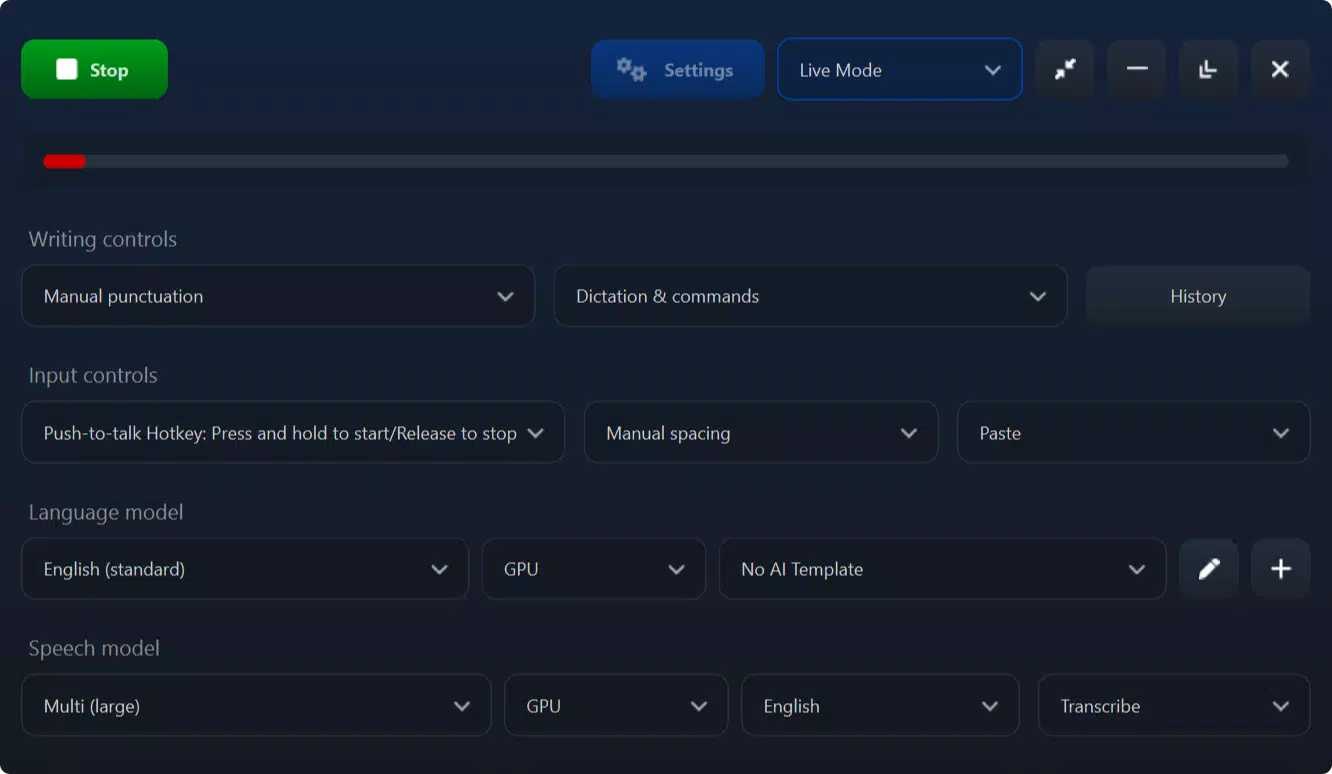
- Customizable Hotkeys: Users can assign push-to-talk hotkeys to initiate dictation with a single tap or key press. This customization enhances usability, allowing for a tailored experience based on individual workflow preferences.
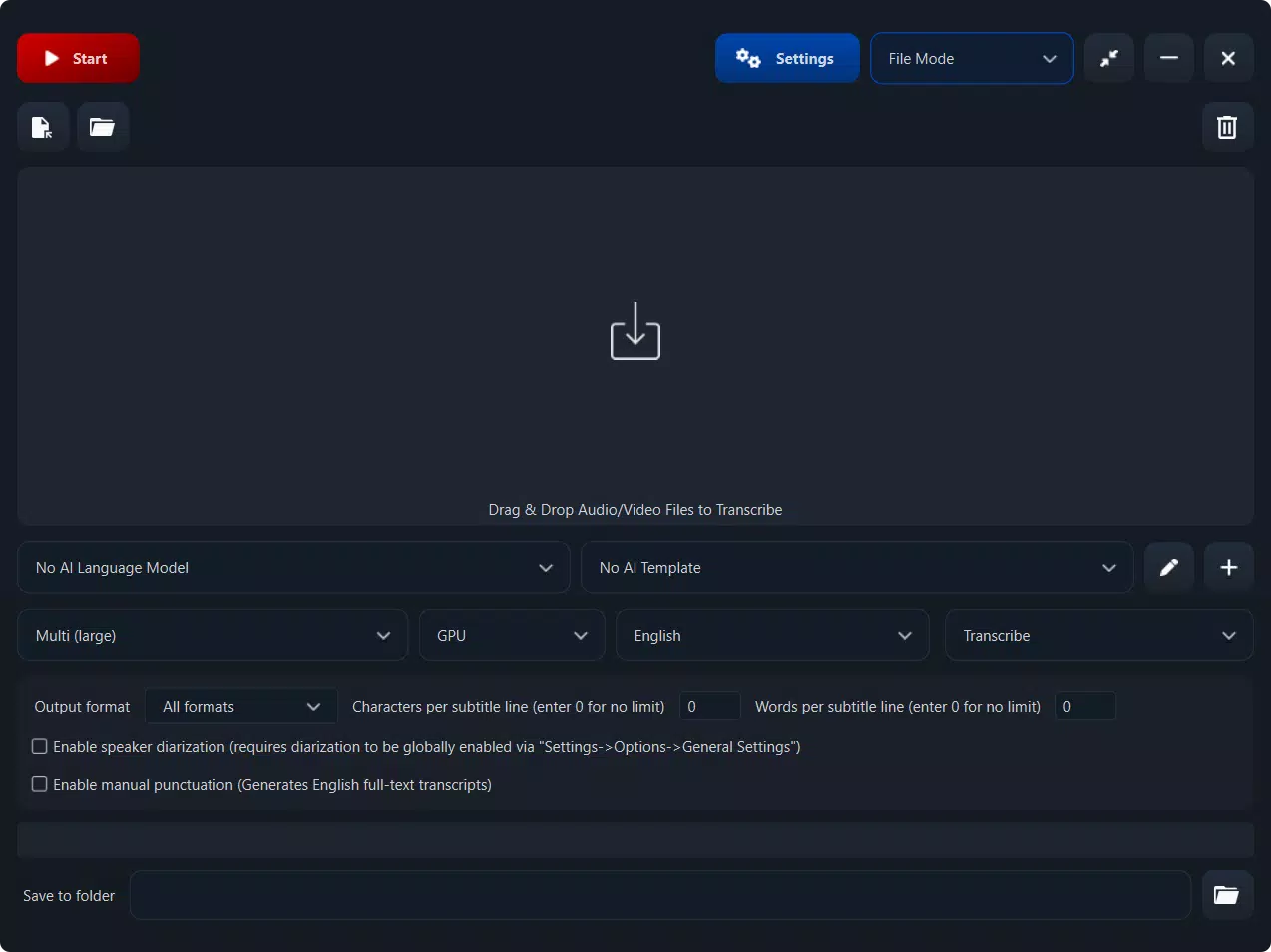
- Subtitle Generation: The app generates SRT and VTT subtitle files with precise timestamps. Users can adjust word count per line, offering flexibility for different video formats and accessibility standards.
For example, a content creator can use the app to transcribe a voiceover, generate subtitles for a YouTube video, and export them directly—all without an internet connection. A journalist on assignment in a remote area can dictate notes and save them as text, ensuring data integrity and privacy. These real-world applications highlight the app’s versatility and practicality in professional and personal use cases.
Interface, UX & Performance
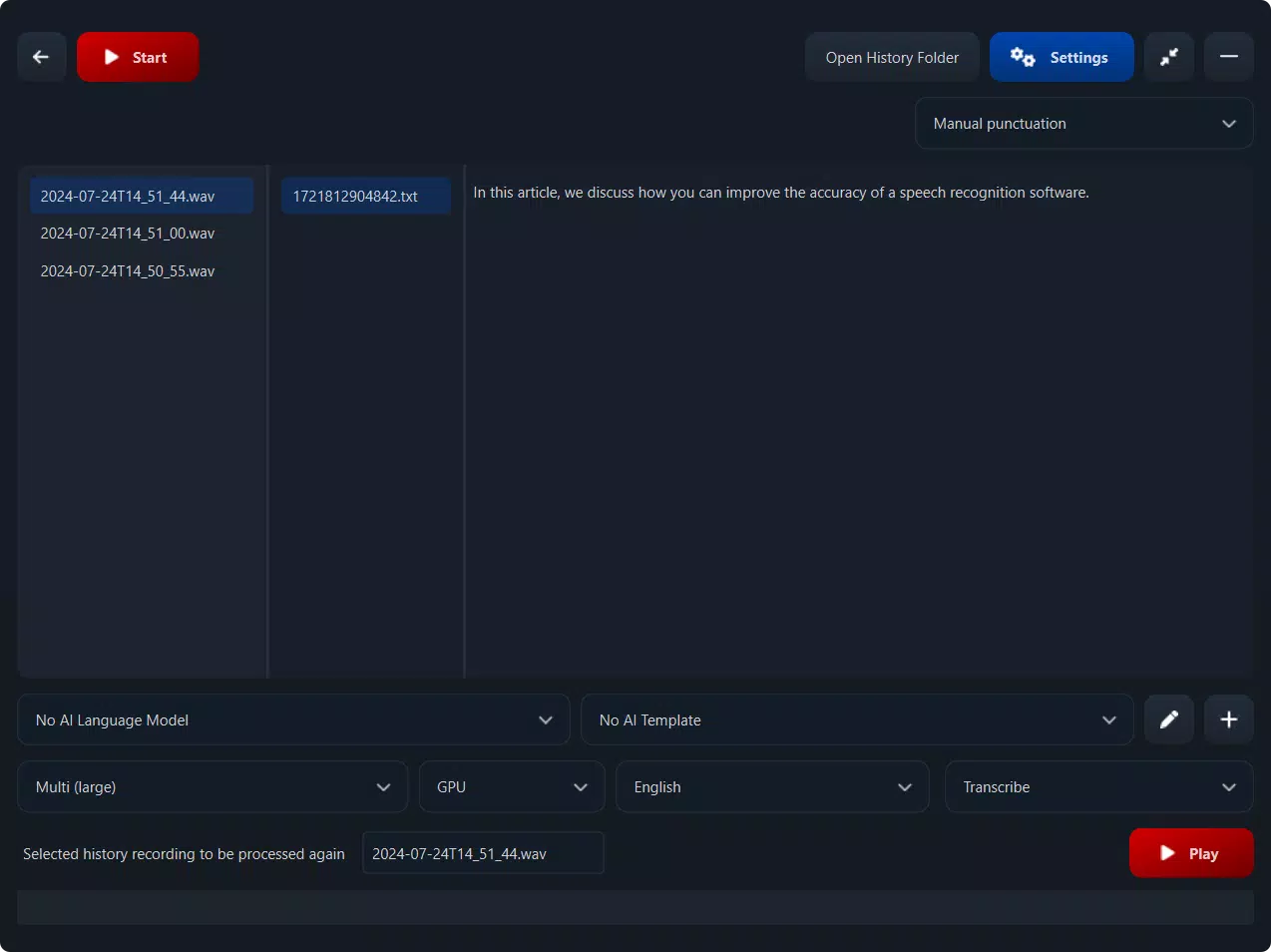
SpeechPulse Speech-to-Text features a clean, minimal interface designed to prioritize functionality over visual complexity. The layout emphasizes accessibility, with intuitive navigation that allows users to switch between transcription, translation, and subtitle modes with ease. Visual feedback is clear, with real-time text display and status indicators for active dictation and processing.
Navigation is streamlined, focusing on core tasks: starting a recording, selecting language, and exporting results. The app maintains responsiveness across various device categories, though specific performance metrics were not disclosed. Although the developer did not list formal performance metrics, the app’s design suggests optimization for consistent operation on mid-to-high-end Android devices.
Stability appears to be a priority, particularly given the emphasis on offline use and real-time processing. Users can expect smooth transitions between modes and reliable text output. The app’s lightweight size of 48.2 MB indicates efficient resource management, contributing to consistent performance even on devices with limited storage. The overall UX experience is geared toward efficiency, minimizing user friction during high-intensity transcription tasks.
Platform Compatibility & Technical Requirements
SpeechPulse Speech-to-Text is available exclusively on the Android platform. The current version is 1.8.3, with a file size of 48.2 MB. The app is designed for Android devices, though the developer did not specify minimum OS requirements or hardware specifications.
While compatibility details were not fully disclosed, the app’s offline capabilities and efficient file size suggest it is optimized for a broad range of Android devices. Users are advised to ensure their device meets standard Android system requirements for running modern productivity applications. The absence of specific technical details means users should rely on general device compatibility expectations when installing the app.
Pros and Cons
- Supports transcription in 99 languages with translation to English
- Operates fully offline, ensuring privacy and usability in low-connectivity areas
- Real-time dictation with high accuracy and speed
- Customizable hotkeys for push-to-talk functionality
- Generates SRT and VTT subtitle files with precise timestamps
- Specific system requirements were not listed
- Price point of $4.99 may be high for casual users
- Android-only availability limits cross-platform access
- No information on update frequency or long-term support
- Developer background not publicly detailed
FAQ
Is SpeechPulse Speech-to-Text available for iOS?
The app is currently available only on Android. No information is available regarding future iOS release plans.
Can I use the app without an internet connection?
Yes, SpeechPulse Speech-to-Text supports full offline functionality, allowing users to transcribe and generate subtitles without an internet connection.
Does the app support real-time transcription in multiple languages?
Yes, the app supports real-time transcription in 99 languages, including translation from non-English speech to English.
How do I access the 30-day trial?
The trial is included with the initial download. Users can access all features for 30 days before the app prompts for purchase.
Is the app secure and private?
Since the app operates offline and does not require cloud processing, user data remains on the device, enhancing privacy and security.
Final Thoughts
SpeechPulse Speech-to-Text stands out as a powerful, feature-rich tool for anyone who relies on accurate, fast transcription. Its ability to function offline, support for 99 languages, and advanced subtitle generation make it a valuable asset for content creators, professionals, and multilingual users. The customizable hotkeys and real-time dictation further enhance usability, delivering a seamless experience tailored to demanding workflows.
While the $4.99 price may deter casual users, the 30-day trial offers a risk-free way to assess its value. For those who frequently transcribe audio or need precise subtitles, the app delivers strong performance and reliability. Its focus on privacy through offline operation adds significant appeal in sensitive or remote environments.
With its robust feature set and clear focus on productivity, SpeechPulse Speech-to-Text is a top-tier choice in the mobile transcription space. Download SpeechPulse Speech-to-Text now


